Solar Panels for Security Cameras: Power and Compatibility Checks
A solar panel can keep a compatible battery security camera charged when its usable daily output covers the camera’s energy use. Compatibility also depends on the charging input, connector, cable and operating conditions. A matching plug or a larger wattage label does not establish that the combination will work.
For an installer replacing a panel, start with the camera’s exact model and approved accessory list. For an OEM developing a camera system, start with the load profile and charging circuit. Both routes need a check of the complete power path before ordering.
Table of Contents
- Key takeaways
- 1. Identify the camera’s power path
- 2. Check compatibility before comparing panel wattage
- 3. Estimate daily energy, then size the panel
- A worked sizing example
- Continuous recording changes the scale
- 4. Check overnight reserve and cloudy-weather recovery
- 5. Plan the installation around charging conditions
- 6. Approve a sample with the actual camera
- What to send for an OEM panel quotation
- Frequently Asked Questions
- How do I match a solar panel for security cameras or a remote camera system?
- Can any solar panel charge a security camera?
- Will a higher-wattage panel charge a camera faster?
- Can solar-powered security cameras record all night?
- Can one small solar panel charge two cameras?
- Why does the battery level fall while the solar panel is connected?
- What voltage solar panel do 12V PoE CCTV camera poles normally use?
- How does night vision IR lighting change security camera solar sizing?
- What enclosure rating should a solar battery box have for outdoor camera poles?
- What are Honray’s power range and sample lead times for custom OEM camera solar panels?
Key takeaways
- Identify whether the camera accepts solar charging or needs a separate battery-backed DC or PoE supply.
- Check the electrical input and connector specification together, including sealing and cable length.
- Size energy in watt-hours per day using the intended recording mode and seasonal sunlight.
- Validate charging, overnight operation and recovery after cloudy weather with the actual camera.
1. Identify the camera’s power path
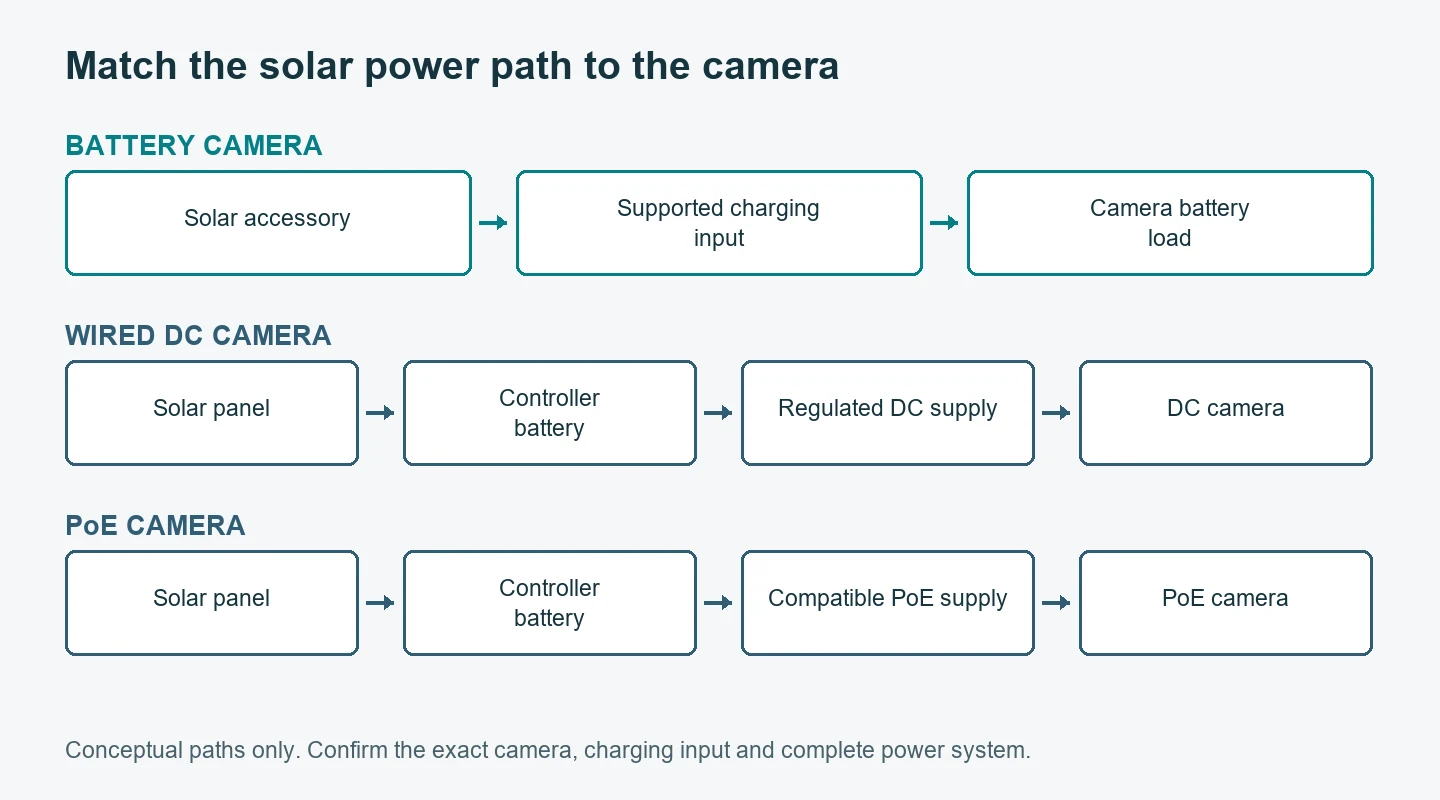
Battery cameras and wired cameras need different solar power arrangements. A small camera solar accessory usually feeds a charging input; the camera’s battery supplies energy when sunlight is unavailable. Some accessories include their own storage, so confirm where the batteries and charge controls sit in the proposed system.
| Camera type | Power arrangement to verify | Main purchasing risk |
|---|---|---|
| Rechargeable battery camera | Panel or solar accessory → supported charging input → camera battery | Assuming every charging port accepts every solar accessory |
| DC-powered wired camera | Panel → controller → storage battery → regulated camera supply | Treating raw panel voltage as a stable DC supply |
| PoE camera | Panel → controller → storage battery → compatible PoE supply → camera | Ignoring PoE requirements and the power used by network equipment |
2. Check compatibility before comparing panel wattage
Record the camera model, hardware revision and firmware version first. Then obtain the camera’s charging specification and the proposed panel’s output specification. Keep bare photovoltaic module ratings separate from the regulated output ratings of a finished charging accessory.
| Check | Information to obtain | Acceptance question |
|---|---|---|
| Input voltage | Camera charging range; regulated accessory output, or module Vmp and Voc if designing the charger | Will the complete circuit remain within input limits across expected conditions? |
| Input current and power | Supported charge current, input power limit and panel or accessory output | Can the source deliver useful charge without exceeding the approved input specification? |
| Connector and pinout | Exact connector, pin assignments, polarity and any identification requirements | Does the complete interface match, beyond its external shape? |
| Cable and extension | Approved length, conductor size, connector resistance and routing | Is voltage at the camera adequate while charging under load? |
| Charging behavior | Startup, low-light behavior and charge-while-operating support | Does charging resume after shade or an overnight interruption? |
| Temperature and sealing | Battery charging range, assembled connector seal and enclosure requirements | Can the installed assembly charge and resist exposure at this site? |
Vmp is a bare panel’s voltage at maximum power; Voc is its open-circuit voltage. Neither should be treated as a regulated USB output. An OEM charger design must account for panel voltage changes with temperature and load, including the maximum expected open-circuit voltage.
A USB-C connector identifies an interface shape, but it does not prove the required charging behavior. Check the camera documentation for the supported source and cable. Avoid assuming that a passive adapter changes voltage, negotiates a charging mode or preserves the original weather seal.
3. Estimate daily energy, then size the panel
Daily energy use (which you can estimate using our solar panel calculator) determines how much solar energy must reach the camera. Use watt-hours (Wh), rather than comparing panel watts directly with a battery’s milliamp-hour label. Measure consumption in the intended operating mode whenever possible.
Build the load profile around standby time, recording, live viewing, night lighting and radio activity. Include any external modem, router or PoE equipment in a separate-system budget.
A worked sizing example
Assume the camera uses 4 Wh per day, the design month provides 2.5 equivalent peak sun hours per day, and 65% of rated panel energy reaches the useful load after combined losses.
Minimum energy-balance panel rating = 4 Wh ÷ (2.5 h × 0.65) ≈ 2.46 W.
A 3 W panel would yield about 4.88 Wh per day under those assumptions. That leaves only about 0.88 Wh for recovering a previous deficit. A 5 W panel would yield about 8.13 Wh per day, provided the charging input can accept the available energy. Neither result is a compatibility approval or an all-weather guarantee.
| Example input or result | Value | Meaning |
|---|---|---|
| Camera daily energy | 4 Wh/day | Assumed measured load for the chosen settings |
| Design-month sunlight | 2.5 peak sun hours/day | Equivalent solar energy, not daylight duration |
| Combined useful-energy factor | 0.65 | Illustrative allowance, not a measured system efficiency |
| 3 W panel estimated useful energy | 4.88 Wh/day | Small surplus under the stated assumptions |
| 5 W panel estimated useful energy | 8.13 Wh/day | More recovery capacity if charging is not limited |
Continuous recording changes the scale
A hypothetical camera drawing 5 W continuously uses 120 Wh per day before external equipment losses. At the same 2.5 peak sun hours and 65% useful-energy factor, its energy-balance panel rating is about 74 W. Storage and recovery margin still need to be added. This example explains why a small battery-camera accessory cannot be selected for a continuous load by connector alone.
4. Check overnight reserve and cloudy-weather recovery
Battery reserve must cover the time when solar charging cannot meet demand. For a separate system, calculate usable storage from daily energy and the required autonomy period, then account for permitted discharge and conversion losses. For a sealed camera battery, obtain usable capacity and charging limits from the manufacturer.
In the 4 Wh/day example, three days without useful solar input require 12 Wh of usable energy. If an external battery permits 80% usable discharge and the battery-to-load path is 90% efficient, the illustrative nominal requirement is 12 ÷ (0.80 × 0.90) ≈ 16.7 Wh. Temperature and aging allowances would require further assessment.
Recovery matters as much as reserve. Under the example’s fixed conditions, the 3 W panel’s 0.88 Wh daily surplus would need roughly 14 days to replace a 12 Wh deficit. The 5 W panel’s 4.13 Wh surplus would need about three days. These estimates assume uninterrupted acceptance of the surplus; charge tapering and weather can extend recovery.
5. Plan the installation around charging conditions
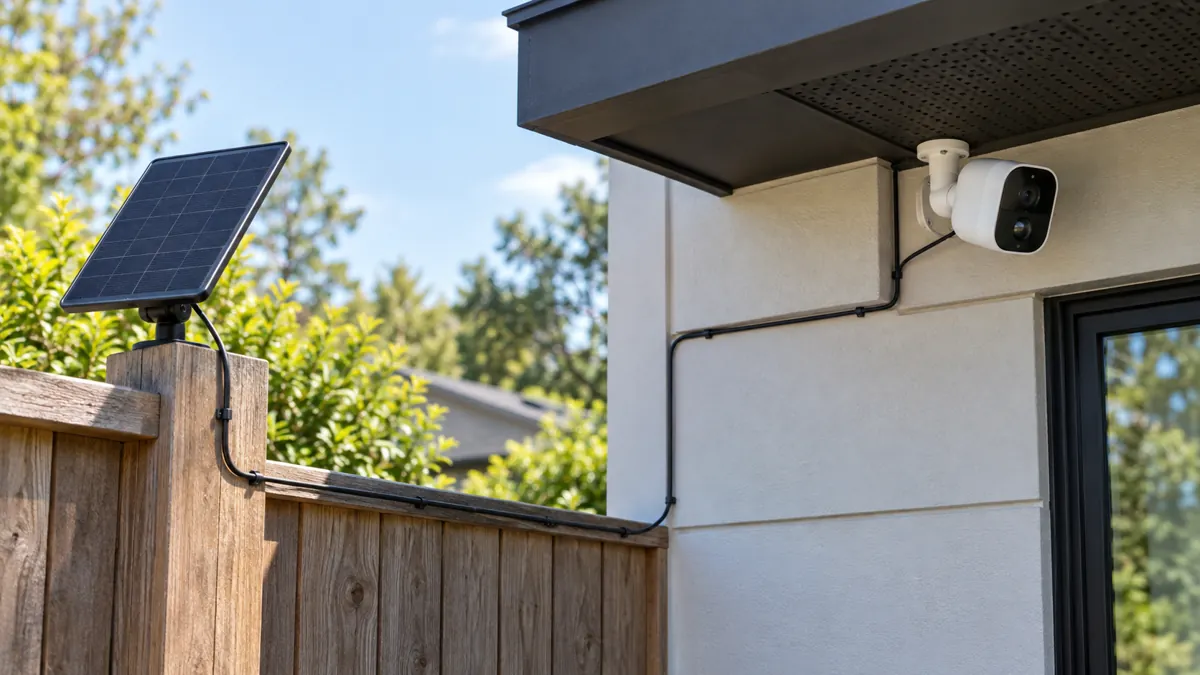
Position the panel for sunlight and the camera for its field of view. Separate mounting often helps when the camera sits under an eave. Check the proposed cable route before increasing the distance between them.
- Observe shade at several times of day and consider seasonal obstructions.
- Check voltage at the charging input under load when evaluating a longer cable.
- Confirm connector engagement, strain relief and the assembled weather seal.
- Keep the panel accessible for cleaning and inspection.
- Check both battery charging temperature and equipment operating temperature.
6. Approve a sample with the actual camera
Agree the test conditions and pass criteria before ordering production quantities. A charging icon in strong sunlight proves only that charging was recognized at that moment. It does not establish overnight autonomy or winter energy balance.
| Sample check | Record | Define before approval |
|---|---|---|
| Electrical interface | Camera revision, firmware, cable, input voltage and charge current | Permitted input range and acceptable charging behavior |
| Representative operation | Recording settings, event frequency, night features and daily energy | Required operating mode and allowable energy demand |
| Day/night cycle | Battery level or logged energy through charging and darkness | Minimum reserve and required observation period |
| Interruption and recovery | Response after shade and depleted-reserve conditions | Automatic restart behavior and recovery target |
| Mechanical and exposure | Fit, cable retention, sealing and agreed environmental tests | Drawing tolerances and application-specific test criteria |
What to send for an OEM panel quotation
Send the camera load profile, battery and charger specification, available panel area, connector drawing and installation location. Include cable length, mounting constraints, sample quantity and planned production quantity. Identify any limits that still need confirmation.
Honray’s custom solar panels for OEM devices and custom IoT solar panels services cover discussion of panel dimensions, electrical targets, cables and sample evaluation. A camera application needs its own specification review and validation; a custom connector alone does not establish compatibility.
Frequently Asked Questions
How do I match a solar panel for security cameras or a remote camera system?
When specifying a solar panel for security cameras or a multi-unit solar panel for camera system deployment, match four parameters before comparing panel wattage: the camera charging input (5V USB regulated vs. 12V battery-controller system), weatherproof cable/connector seal, usable winter sun hours, and overnight battery reserve. For OEM device builders designing compact camera enclosures, see our custom IoT solar panels or custom small OEM panels.
Can any solar panel charge a security camera?
No. A security camera needs a supported charging source or a separately designed power system. Check the exact model, electrical limits, connector and charging behavior before connecting a panel.
Will a higher-wattage panel charge a camera faster?
A higher-wattage panel can help only when sunlight and the camera’s charging input allow more energy to be accepted. The charge circuit can limit the benefit. Higher panel voltage must still remain within the approved input range.
Can solar-powered security cameras record all night?
A solar-powered camera can record at night if its battery has enough usable energy and its firmware supports the required recording mode. Solar charging capability alone does not establish continuous-recording support or sufficient reserve.
Can one small solar panel charge two cameras?
Only use a shared arrangement when the manufacturer supports it or the complete system has been designed for both loads. A splitter does not establish adequate current, independent charging behavior or weatherproof connections.
Why does the battery level fall while the solar panel is connected?
The camera may be using more energy than the panel supplies, or charging may be restricted. Check shade, cable connections, input voltage, battery temperature and recording settings. Compare energy over a complete day instead of relying on a momentary charging icon.
What voltage solar panel do 12V PoE CCTV camera poles normally use?
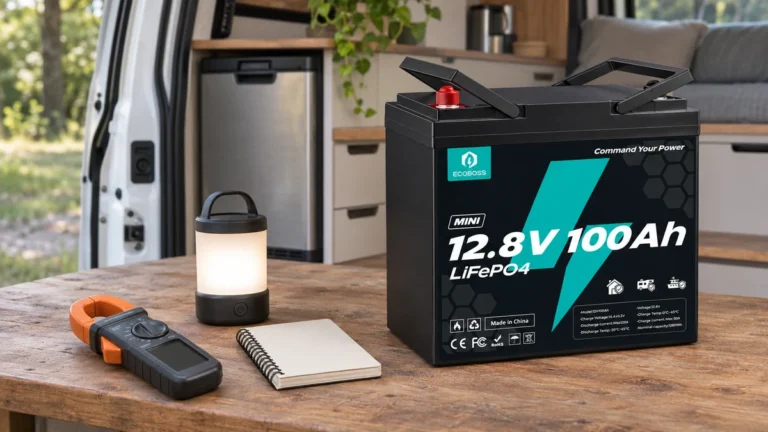
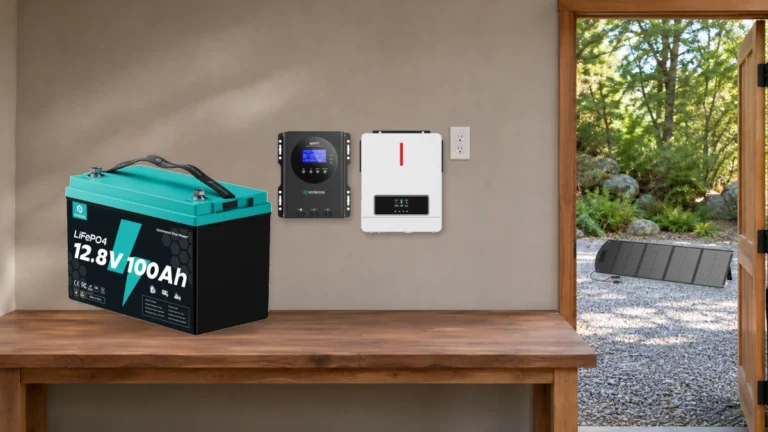
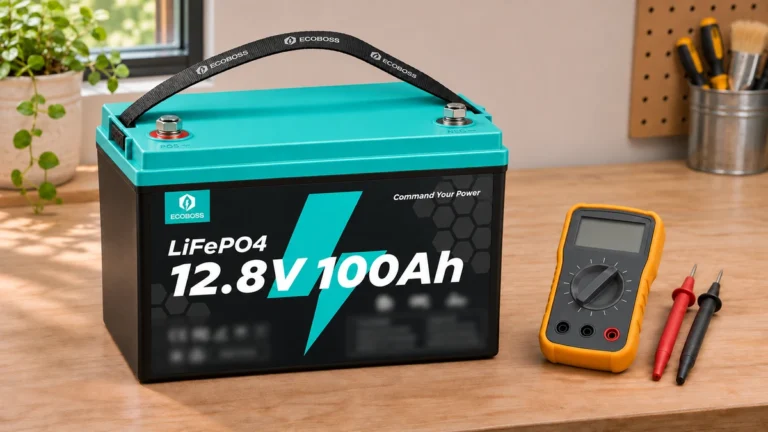
Remote 12 V PoE camera poles typically use 18 V–21 V Vmp solar modules (such as one or two 100W rigid panels) paired with an MPPT controller and a 12.8 V 100 Ah LiFePO4 battery, giving enough voltage overhead for reliable 14.4 V charging in summer heat.
How does night vision IR lighting change security camera solar sizing?
Infrared LEDs, PTZ motors, and 4G cellular uplinks can double or triple a camera’s nighttime watt draw compared with daytime idle power. Always calculate 24-hour watt-hours using measured night-mode watts across the longest winter night (12–15 hours).
What enclosure rating should a solar battery box have for outdoor camera poles?
For pole-mounted outdoor enclosures, use at least an IP65-rated weatherproof cabinet with shaded ventilation and an IP65 ABS pack like the EcoBoss 12V 100Ah Mini LiFePO4 battery (228 × 138 × 208 mm), avoiding sub-zero charging below 0°C.
What are Honray’s power range and sample lead times for custom OEM camera solar panels?
Honray manufactures small custom solar panels from 0.1 W to 100 W (including circular, strip, and custom PCB-backed ETFE/glass modules for cameras and IoT), with standard sample lead times of 7–15 days and bulk production of 15–25 days (25–40 days for full custom/container runs).
OEM & ODM Customization
100% Dual EL Tested
Export to 50+ Countries
TÜV · UL · CE · UN38.3
Looking for wholesale pricing or custom OEM/ODM solutions?
Connect directly with our engineering team for a tailored quote within 24 hours.