
What Can a Portable Solar Panel Charge? USB Output and Device Compatibility
A portable solar panel can charge a phone, headlamp, or power bank through a compatible, regulated USB output or a portable power station. Direct USB charging needs adequate sunlight, and some tablets and laptops require a specific USB Power Delivery (USB PD) setting. A folding panel with MC4 photovoltaic (PV) leads feeds a compatible station’s solar input. The device plugs into the station’s USB output.
Key Takeaways
- Read the rating for the USB port you’ll use. The wattage printed on the panel describes its rated solar output.
- Test whether your device or power bank resumes charging after a brief drop in sunlight.
- Before connecting MC4 leads to a power station, verify its solar input limits and cable requirements.
Table of Contents
- What devices can a portable solar panel charge?
- How to read USB-A, USB-C and USB PD ratings
- When should you charge directly or use a power bank?
- How long does direct solar charging take?
- Can a 100 W or 200 W portable solar panel charge a phone?
- Frequently Asked Questions
- Do I need a battery between a portable solar panel and my phone?
- Can I charge two devices from the same portable solar panel?
- Can a portable solar panel charge a 12 V car battery?
- Can I charge devices with a portable solar panel after sunset?
- What is the Voc limit to check before plugging a portable solar panel into a power station?
- Can a 100W or 200W portable solar panel run a laptop or CPAP machine?
- Can a portable solar panel power a 12V camping fridge directly?
- How long does a 200W portable solar panel take to charge a 1,000Wh power station?
- What connectors are included on Honray 100W and 200W portable solar panels?
- Are portable folding solar panels waterproof in rain?
What devices can a portable solar panel charge?
Check the device’s charging input first. For small electronics, that may be a 5 V USB input. A laptop may need USB PD or its original AC adapter.
| Device | Charging path | What to check |
|---|---|---|
| Smartphone | Regulated USB-A or USB-C output with a compatible cable | Basic charging and fast charging may require different port specifications. |
| Headlamp, earbuds, or GPS unit | Regulated USB output to the device or its charging case | Check that the exact model supports USB charging and accepts the available port and cable. |
| USB power bank | Regulated USB output to the bank’s charging input | Check input wattage and whether the bank resumes charging after a brief interruption. |
| Tablet | Regulated USB or USB-C Power Delivery (PD), depending on the model | Check the recommended wattage. With a low-power source, the battery may gain little charge while the screen is on. |
| Camera or drone battery | Device or charging hub that accepts USB, or a power station with the original charger | Check which port accepts power and whether the device needs to be off. |
| Laptop | Compatible USB-C PD output, or a power station with the original AC adapter | Check the laptop’s supported charging mode and recommended wattage. |
| Portable power station | Panel’s PV output to the station’s solar input | Match the voltage range, current limit, connector and polarity. |
| AC appliance | AC outlet on a compatible power station or inverter | Check continuous power, startup surge if applicable, and available battery energy. |
How to read USB-A, USB-C and USB PD ratings
Use the rating printed for the specific output. One manufacturer lists a 20 W panel with a USB port rated at 5 V and up to 2.1 A. Multiply volts by amps to get the port’s maximum of 10.5 W. Actual output can be lower in weak sunlight.
USB-A commonly provides 5 V for basic charging. For USB-C, check the port’s direction and whether it supports USB PD. A port listed at 5 V and 3 A can deliver up to 15 W at 5 V. A USB PD source listing 9 V and 2 A can deliver up to 18 W at 9 V if the device and cable support that setting.
Compare those profiles with the device manufacturer’s charging guidance. Apple, for example, lists different recommended adapters across MacBook Air configurations, including 30 W and 70 W options. For a laptop in use, a lower-power source may charge slowly or supply less power than the laptop consumes. Check the output rating with all planned devices connected, since ports can share a power budget.
When should you charge directly or use a power bank?
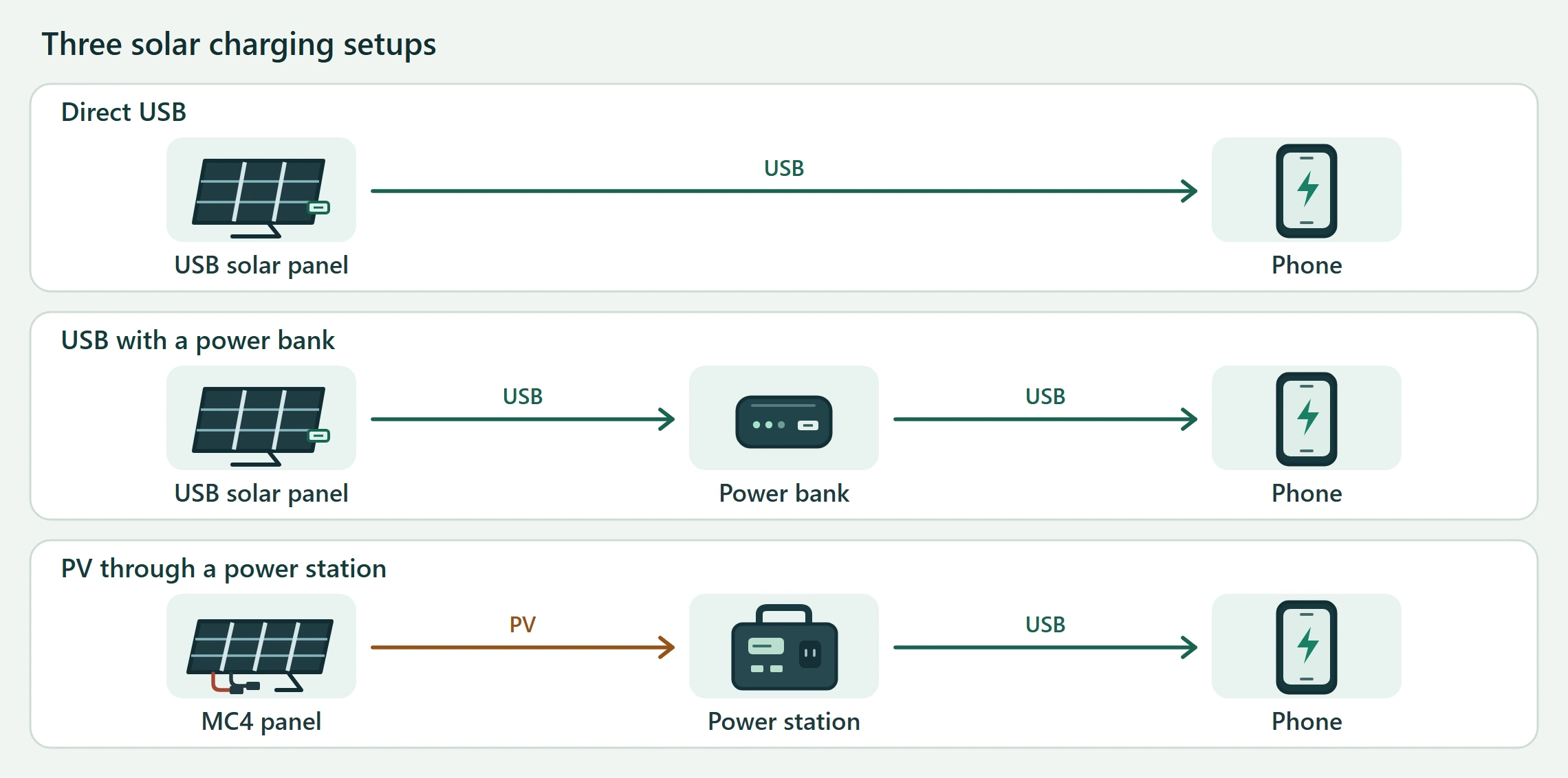
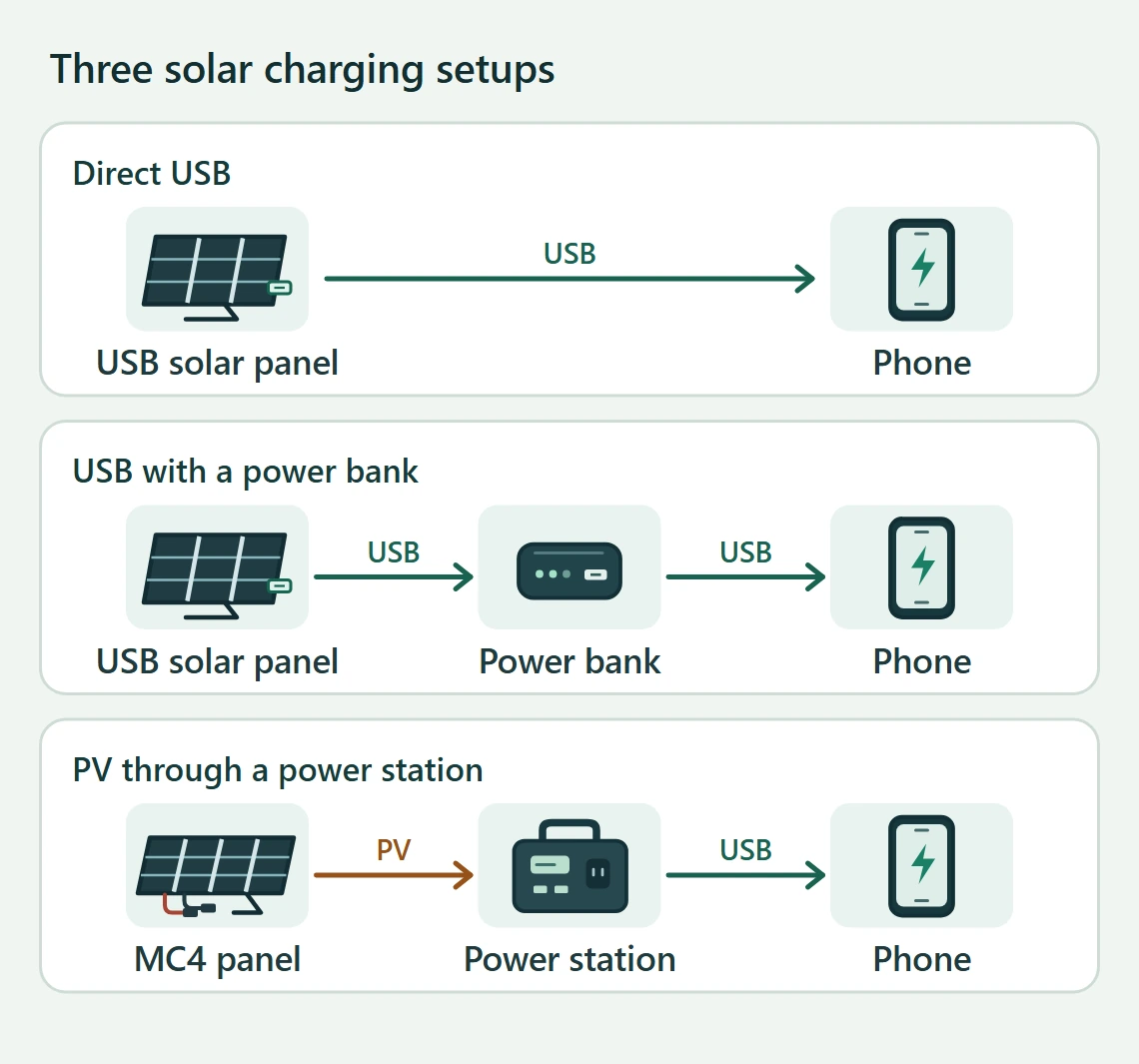
Charge directly through a regulated USB port when the panel has steady sunlight and you only need a top-up. When shade moves across the panel or clouds pass, USB output can drop enough to interrupt charging. Some solar chargers advertise automatic restart. Check your setup by briefly shading the panel and then uncovering it. If the charging indicator fails to return, reconnect the device and consider using a setup that resumes on its own.
A compatible power bank lets you collect energy during the day and recharge your phone later. Keep the panel in direct sun and put the power bank or phone in a shaded, ventilated spot. If you want to charge the bank and a device at the same time, check the bank’s manual for pass-through charging support.
How long does direct solar charging take?
Divide the energy you want to add, in watt-hours (Wh), by the average power reaching the battery, in watts (W). Suppose you want to add 8 Wh and the battery receives an average of 4 W while charging. That takes about two hours of active charging. The 4 W is an assumption for this example. Charging pauses add elapsed time, and charging can slow as the battery fills. A USB power meter can help you check how steady the input is, though it measures power at the USB port before losses and any power used by the device.
Can a 100 W or 200 W portable solar panel charge a phone?
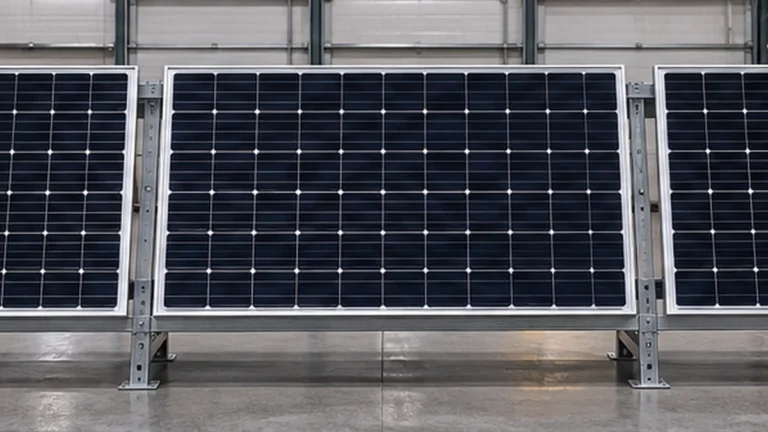
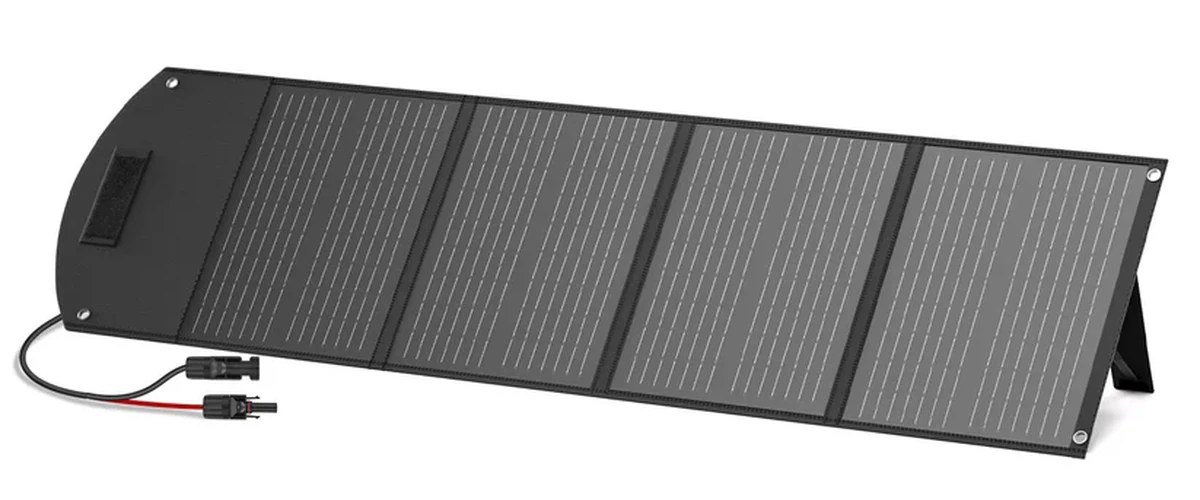
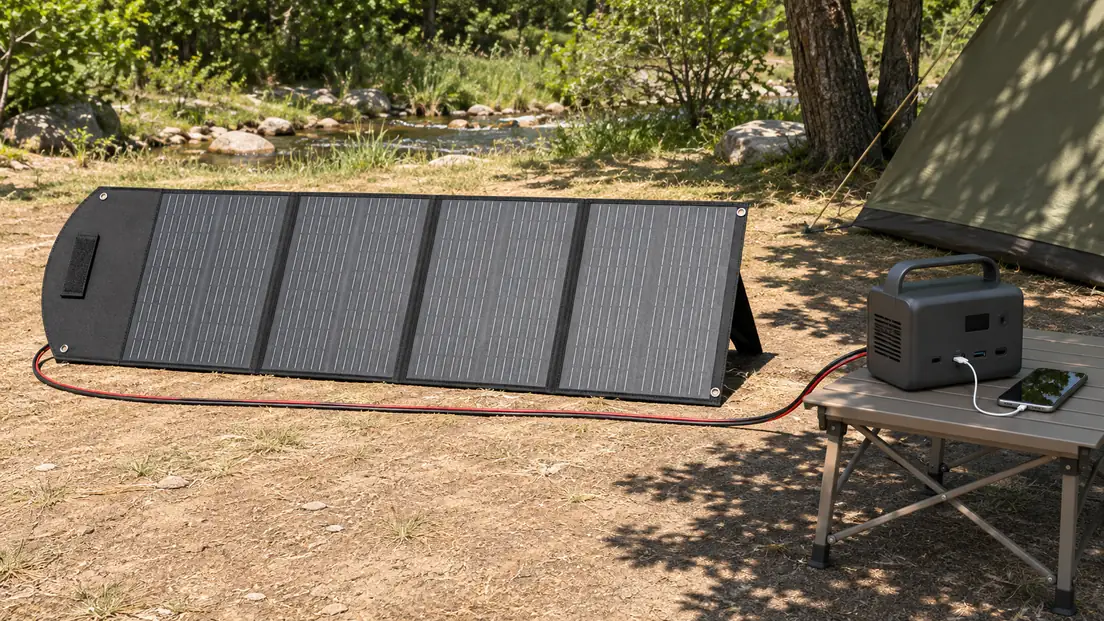
Yes. With a folding panel that has MC4 leads, the phone can charge from a compatible power station’s USB port. Both the Honray 100 W model and the 200 W model list MC4-compatible PV connections. The product image shows the four folding sections and output leads of the 100 W model.
- Check the panel’s datasheet against the station’s solar input limits for voltage, current and power. Include cold-weather open-circuit voltage. A passive adapter changes the plug shape and leaves the voltage unchanged. Confirm the specified cable and polarity before connecting the MC4 leads to the station’s solar input. Guide to matching a solar panel to a portable power station
- Plug the phone into the power station’s USB output. Check the station’s USB rating and the phone’s supported charging mode to find the available speed. A station lists its solar input and USB output separately.
Frequently Asked Questions
Do I need a battery between a portable solar panel and my phone?
A phone can charge without a separate battery when the portable solar panel has a regulated USB output the phone accepts and gets enough sunlight. For an iPhone, use the USB-C or Lightning cable your model requires. If you want USB PD fast charging, check the required output for that model.
Can I charge two devices from the same portable solar panel?
Yes, on a panel with two compatible USB outputs rated for simultaneous use. Check both the limit per port and the combined limit. Connect both devices in the sunlight you expect to use and confirm that each keeps charging.
Can a portable solar panel charge a 12 V car battery?
Yes, through a solar charge controller rated for the panel, the battery’s voltage and RV LiFePO4 battery chemistry—or an all-in-one 200W 12V RV solar kit. Follow the charger and vehicle manuals for the approved connection method and charging settings.
Can I charge devices with a portable solar panel after sunset?
You can charge devices after sunset from a compatible power bank or power station that you charged with the portable solar panel during daylight. The battery supplies power to the device overnight.
What is the Voc limit to check before plugging a portable solar panel into a power station?
Check that the panel’s open-circuit voltage (Voc)—including cold-weather rise—stays safely below your portable power station’s maximum DC solar input voltage. For example, Honray’s 100W and 200W portable solar panels have a 24.48 V Voc (21.24 V Vmp), so check both voltage and current ceilings on compact power stations.
Can a 100W or 200W portable solar panel run a laptop or CPAP machine?
Yes, when paired with a compatible portable power station or 12 V LiFePO4 battery bank, a 100W or 200W portable panel can recharge the battery by day so you can power laptops (45–100 W USB-C PD) or a DC CPAP (typically 30–60 W without heated humidifier) reliably overnight.
Can a portable solar panel power a 12V camping fridge directly?
No—do not wire a solar panel directly to a 12 V compressor fridge because panel voltage fluctuates above 18–24 V and drops to zero when clouds pass. Always buffer the panel through a charge controller and 12 V LiFePO4 battery or portable power station.
How long does a 200W portable solar panel take to charge a 1,000Wh power station?
Under clear midday sun (around 150–170 W real DC input after heat and tilt losses), a 200 W portable solar panel typically replenishes a 1,000 Wh power station in about 6 to 7.5 hours of strong sunlight. Passing clouds or flat ground placement will extend charging time.
What connectors are included on Honray 100W and 200W portable solar panels?
Honray 100W and 200W foldable portable solar panels (23% monocrystalline cell efficiency) include a 1.5 m MC4 output cable plus a 1 m 4-in-1 adapter cable (XT60, Anderson, DC5521, and DC7909) for broad compatibility with mainstream power stations.
Are portable folding solar panels waterproof in rain?
Honray portable folding solar panels carry an IP65 rating for light outdoor splashes and dust, but the rear junction box and inline adapters should be protected from standing water and heavy rain. Always dry connectors before storing the folded panel.
OEM & ODM Customization
100% Dual EL Tested
Export to 50+ Countries
TÜV · UL · CE · UN38.3
Looking for wholesale pricing or custom OEM/ODM solutions?
Connect directly with our engineering team for a tailored quote within 24 hours.